How to Beat ATS in 2026: Getting Your Resume Past the Bots
Over 75% of resumes are filtered before a human reads them. Learn exactly how ATS works and the proven fixes to get your resume through.

Kareeo Team
AI Career Coach · · 5 min read
You've spent hours perfecting your resume. You're qualified for the role. You hit "Apply" with confidence. And then — nothing. No response. No rejection. Just silence.
Here's what probably happened: your resume was filtered out by an Applicant Tracking System before a human ever saw it. Over 75% of job applications are processed by ATS software, and most candidates have no idea how it actually works.
Let's fix that.
What ATS Actually Does (It's Not What You Think)
First, let's clear up the biggest misconception: ATS doesn't auto-reject your resume. It's not a gatekeeper with a thumbs-up or thumbs-down button.
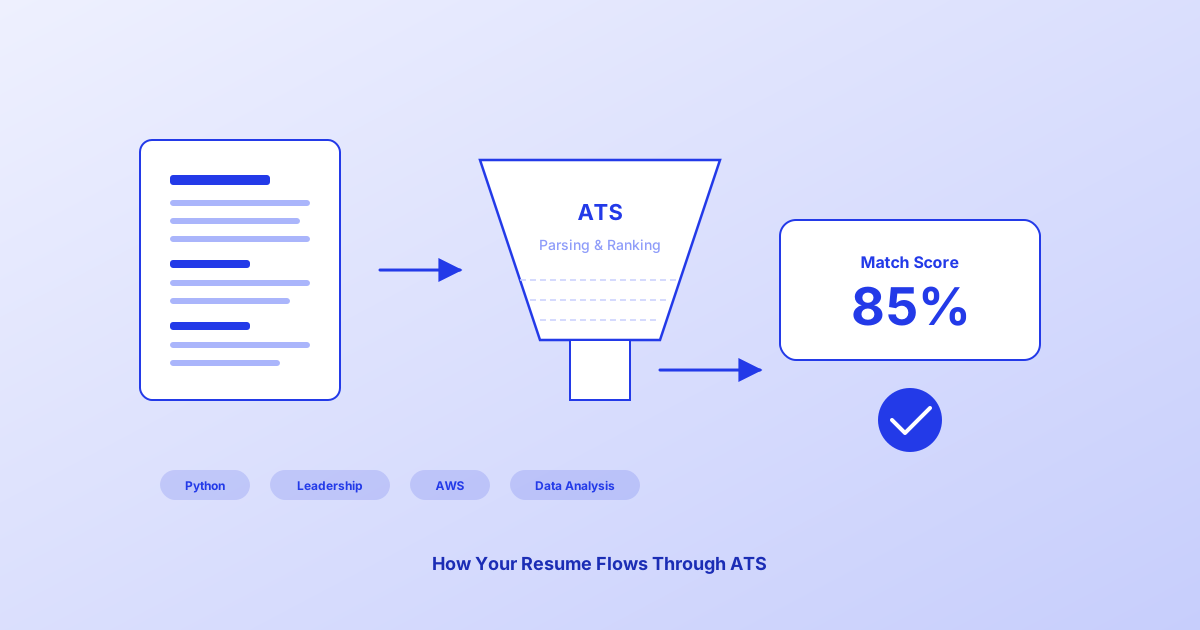
ATS is a filing system. It parses your resume into a structured database — pulling out your name, contact info, work history, education, and skills. Then, when a recruiter wants to find candidates, they search that database using keywords.
If the recruiter searches for "Python developer" and your resume says "programming," you're not rejected. You're just invisible. The system can't find you because you used a different word than the one the recruiter searched for.
That's the core problem: discoverability, not rejection.
The 20-Minute Fix That Changes Everything
Here's the process that consistently raises ATS match scores from the 40-60% range to 75-85%:
Step 1: Copy the Job Posting
Open the job description you want to apply for. Copy the entire thing into a document.
Step 2: Highlight Every Skill and Keyword
Go through the posting and highlight every hard skill, tool, certification, and specific term mentioned. Look for:
- Technical tools and platforms (Python, Salesforce, Figma)
- Methodologies (Agile, Scrum, Six Sigma)
- Certifications (PMP, AWS, CPA)
- Specific phrases ("cross-functional collaboration," "stakeholder management")
Step 3: Check What's Missing from Your Resume
Compare the highlighted terms against your current resume. Which ones do you actually have experience with but haven't listed?
This is where most people lose. Not because they lack the skills — because they used different words.
- You wrote "programming" → they want "Python"
- You wrote "worked with teams" → they want "cross-functional collaboration"
- You wrote "helped with projects" → they want "stakeholder management"
Step 4: Add the Exact Wording
Update your resume to include the keywords you genuinely have experience with — using the exact phrasing from the job posting. Don't add skills you don't have. Just translate the ones you do.
Step 5: Run an ATS Check
Before submitting, run your updated resume through an ATS compatibility checker. You should see your match score jump significantly.
See how your resume stacks up
Upload your resume and get an instant ATS compatibility score with actionable feedback to improve your match rate.
Scan My Resume FreeFree to try — no credit card required
The 6 Formatting Rules ATS Demands
Even if your keywords are perfect, bad formatting can break the parser. Here are the non-negotiable rules:
1. Single Column Layout
Tables, columns, and text boxes confuse ATS parsers. Stick to a clean, single-column format with clear section headers.
2. Standard Section Headers
Use headers the parser expects: "Work Experience," "Education," "Skills," "Certifications." Getting creative with "My Journey" or "What I Bring" means the parser might skip your entire work history.
3. No Graphics or Icons
Skill bars, progress circles, logos, and icons are invisible to most parsers. They just see blank space where your skills should be.
4. Simple File Format
PDF is usually safe, but check the job application instructions. Some older ATS platforms prefer .docx. When in doubt, submit both if the option exists.
5. Standard Fonts
Stick with system fonts: Arial, Calibri, Garamond, Georgia, Helvetica, Times New Roman. Custom or decorative fonts can cause parsing errors.
6. No Headers or Footers
Some parsers skip the header and footer areas entirely. Don't put your contact information or name only in the header — include it in the main body of the document.
Why "Tailoring" Beats "Optimizing"
Here's the nuance most resume guides miss: there's no such thing as a universally optimized resume. The keywords that work for one role won't work for another, even at the same company.
The strategy isn't to create one perfect resume. It's to create a base resume with all your experience, then tailor a version for each specific role you apply to.
Yes, this takes more time per application. But 5 tailored applications that match at 80%+ will outperform 50 generic applications at 45%.
Quality over quantity. Every time.
See how your resume stacks up
Upload your resume and get an instant ATS compatibility score with actionable feedback to improve your match rate.
Scan My Resume FreeFree to try — no credit card required
Common Mistakes That Get You Filtered
Even experienced professionals make these errors:
Using acronyms without spelling them out. Write "Project Management Professional (PMP)" not just "PMP." Some parsers search for the full term.
Listing skills in a paragraph instead of a list. Parsers extract individual skills more reliably from bulleted lists than from embedded sentences.
Omitting exact job titles. If the posting says "Senior Product Manager," make sure that exact phrase appears on your resume — not just "Product Lead" or "PM."
Over-designing for aesthetics. A resume that looks beautiful in PDF might parse into gibberish. Always prioritize readability by machines first, then make it look good within those constraints.
Not including dates. Some ATS platforms filter by years of experience. Without dates on your work history, the parser can't calculate your experience level.
The Specification Precision Principle
Think of your resume the way you'd think of instructions for an AI agent. ATS is, fundamentally, a machine reading your document. It takes your words literally. It doesn't infer meaning. It doesn't read between the lines.
The skill of writing for ATS is the same skill that AI professionals call "specification precision" — communicating intent with machine-level clarity. When you learn to write for ATS, you're building a skill that transfers directly into the most in-demand AI workforce capabilities.
Your Next Step
Don't guess whether your resume will pass ATS. Check it. Upload your resume, paste a job posting, and see your exact match score with specific recommendations for what to fix.
A 20-minute investment in tailoring can be the difference between silence and an interview.
See how your resume stacks up
Upload your resume and get an instant ATS compatibility score with actionable feedback to improve your match rate.
Scan My Resume FreeFree to try — no credit card required
Frequently Asked Questions
- What is an ATS and how does it work?
- An Applicant Tracking System (ATS) is software that parses your resume into a structured database. Recruiters search this database using keywords to find matching candidates. Your resume isn't rejected — it's just invisible if you use different terms than the recruiter searches for.
- How can I check if my resume is ATS-compatible?
- Upload your resume to an ATS compatibility checker like Kareeo's Resume Scanner to get an instant match score against a specific job posting, with actionable feedback on keyword gaps and formatting issues.
- What file format is best for ATS?
- PDF is generally the safest format for ATS compatibility. Avoid image-based PDFs, heavily designed templates, or multi-column layouts. Use standard section headings like 'Work Experience' and 'Education' for reliable parsing.
Related Articles
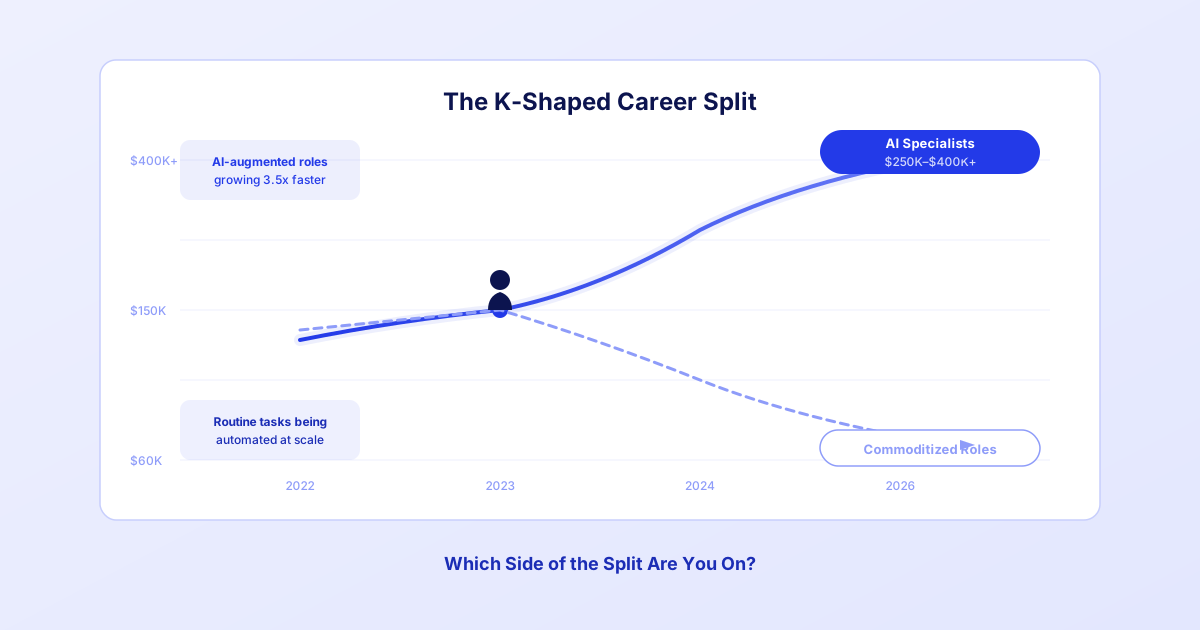
The AI Job Market Is Splitting in Two — Which Side Are You On?
The AI labor market is K-shaped: one side pays $400K and can't hire fast enough. Learn what's happening and how to get on the right side.
Kareeo Team5 min read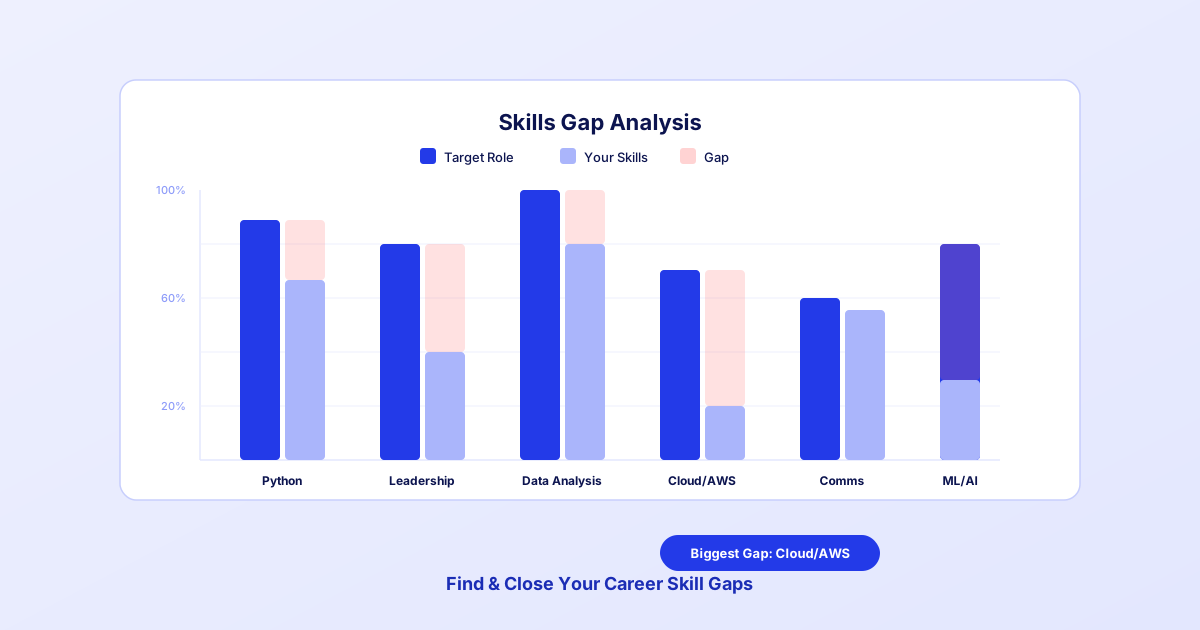
How to Identify Your Career Skill Gaps Before AI Does It for You
Stop guessing what skills you're missing. Learn a systematic approach to skill gap analysis that reveals exactly where to focus your career development.
Kareeo Team6 min read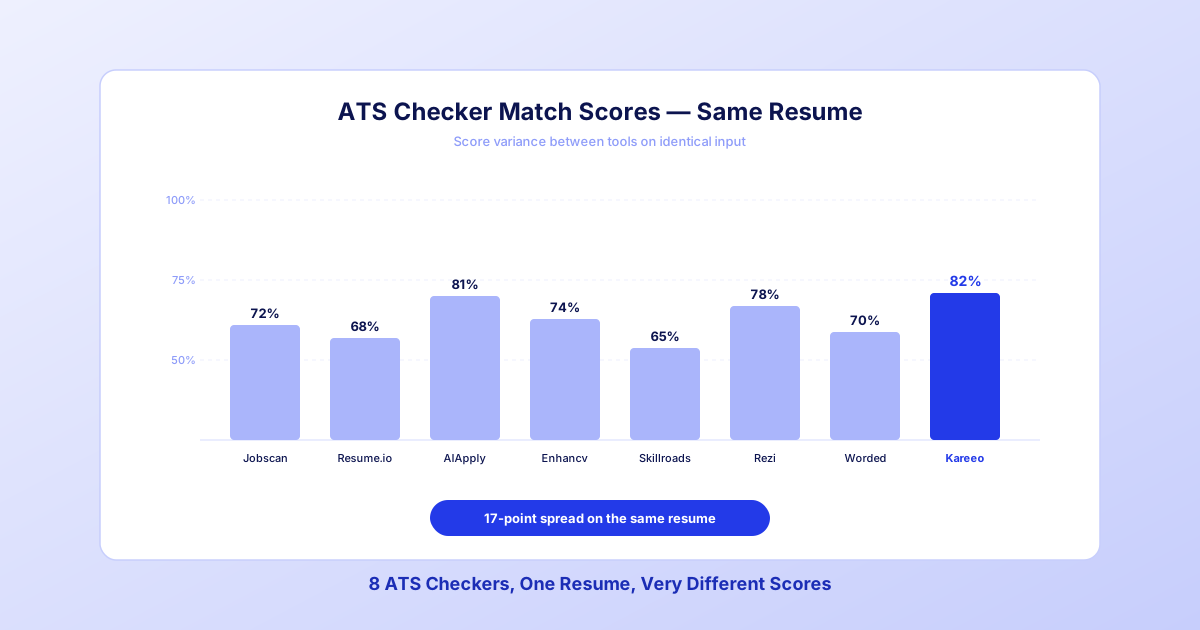
8 Best ATS Resume Checkers in 2026: What We Found After Testing All of Them
We ran the same resume through every major ATS checker. The scores varied by 40 points, the advice contradicted itself, and one tool stood out. Here's the honest breakdown.
Kareeo Team8 min read