Stop Losing Track of Job Applications: The System That Gets Results
Most job seekers lose applications in a spreadsheet graveyard. Here's the tracking system that turns scattered applications into a pipeline you can work every week.

Kareeo Team
Career Content Team · · 7 min read
Here's the pattern we see constantly. A candidate tells us they've applied to 50 jobs in the last six weeks. We ask which applications they're most excited about. They pause. They scroll through emails. They open a Google Doc. They check LinkedIn's tracker. Then they say "there was one at... what was that company? I think it started with an S?"
The application they were most excited about is lost somewhere in their system. So is the one where the recruiter asked for follow-up. So is the one that moved to a second round and they missed the email.
It's not a motivation problem. It's a tracking problem. And fixing it is the highest-leverage thing most job seekers can do.
What a Missing Tracking System Actually Costs You
The cost isn't abstract. Here's what happens without a real tracker:
Duplicate applications. You apply to the same company twice for different roles because you forgot about the first one. Both get ignored. Some companies treat duplicate applications as a signal to disqualify.
Missed follow-ups. A recruiter emails you asking for availability. You see it, mean to respond, and it falls below the fold in your inbox. Three days later, they've moved on.
Lost context in interviews. You get a callback for a role you applied to three weeks ago. You don't remember what version of the resume you sent, what the role actually required, or what you said in the cover letter. You walk into the screen unprepared.
Emotional fatigue. Without visibility into the pipeline, every "no" or silence feels worse. You can't see that you have 8 active opportunities — you only feel the one that just rejected you.
Missed opportunities to follow up. A short follow-up note after a week or so of silence is one of the few levers you still control once the application is in. Without a tracker, you don't know who's due for that nudge.
Scattered tracking isn't "good enough." It's actively reducing your interview rate.
The Minimum Viable Job Tracker
You don't need a complex system. You need one with these elements:
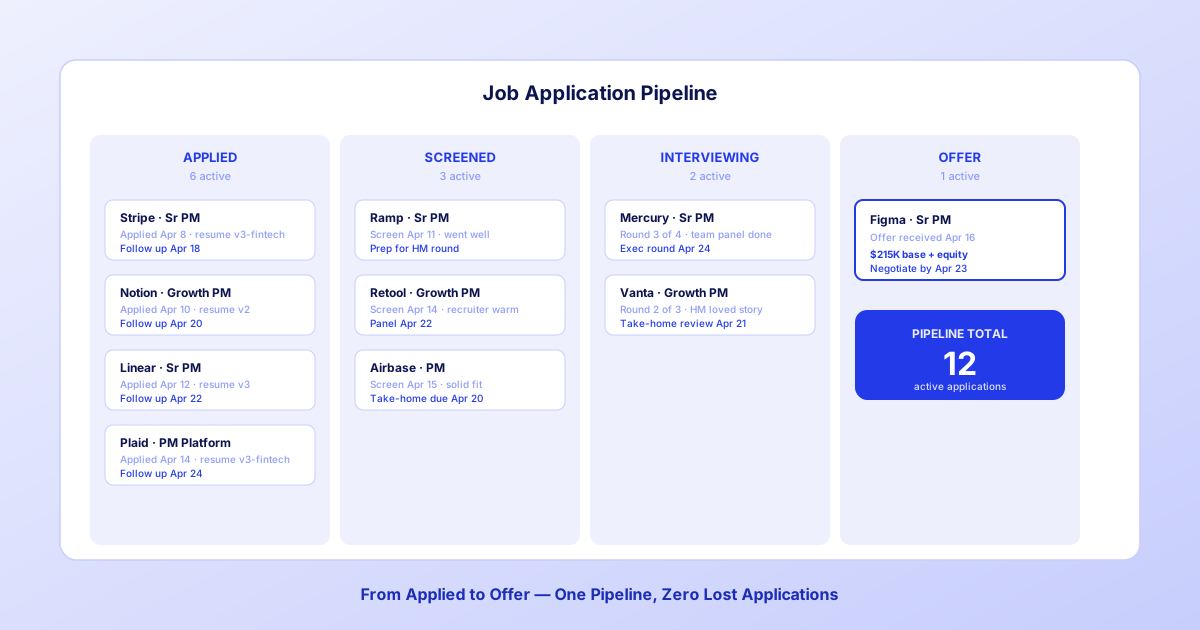
A pipeline view that shows every active application by stage (Applied, Screened, Interviewed, Offer).
Status updates that you can change in seconds.
Follow-up dates visible at a glance.
Per-application notes so you can recover context before an interview.
Version tagging so you know which resume version went to which company.
Nothing else is critical. Everything else is optional enhancement.
Pipeline Stages That Actually Work
The best pipelines use 4-6 stages. Too few and you can't tell where applications are stuck. Too many and updates feel like admin work.
Wishlist — roles you want to apply to but haven't yet. (Optional.)
Applied — submitted, awaiting response.
Screened — recruiter phone screen scheduled or completed.
Interviewing — past the initial screen, active interview process.
Offer — final stage, negotiation or decision.
Closed (Rejected / Withdrawn / Declined) — archive, not active.
Move applications through the stages as their status actually changes. When a role goes cold after two weeks without response, decide: follow up one more time, or move to Closed. Either is fine. What's not fine is letting it linger in Applied indefinitely.
What to Track Per Application
Minimum fields (skip at your own risk):
- Company name
- Role title
- Application date
- Resume version tag (e.g., "v2-fintech-PM")
- Source (LinkedIn, company site, referral)
- Status (pipeline stage)
- Next step + date (e.g., "Follow up April 24")
Optional fields (useful but not essential):
- Recruiter name + contact
- Interview round notes (one line per round)
- Salary data if disclosed
- ATS compatibility score if you ran one
- Cover letter used
- Referral source if applicable
Anything beyond these 13 fields gets abandoned within two weeks. Start lean. Add fields only if you actually use them.
Analyze every job against your resume
Add any job and Kareeo scores your compatibility, surfaces gaps and knockout requirements, and tailors your resume — all tracked through one pipeline.
Analyze a JobFree to try. No credit card required.
Spreadsheet vs. Kanban vs. Dedicated Tracker
Three formats work for job tracking. Here's the honest tradeoff:
| Format | Pros | Cons |
|---|---|---|
| Spreadsheet | Free, flexible, portable | No visual pipeline, manual dates, no reminders |
| Kanban (Trello, Notion) | Visual pipeline, easy updates | Manual setup, no ATS integration, no reminders |
| Dedicated tracker (Kareeo, etc.) | Automated, integrated, reminders | Learning curve, may not fit your workflow |
A spreadsheet is fine if you're tracking fewer than 15 active applications. Beyond that, a Kanban view saves time. Beyond 40 active applications, you need something with reminders and pipeline visibility.
The worst option is "whatever's in my email" — that's not a tracker, that's a graveyard.
The Daily Update Habit
The tracker is only as good as how often you update it. Daily updates take 3-5 minutes and prevent every failure mode above.
A simple daily routine:
Morning (2 minutes). Open the tracker. Check for overdue follow-ups. Send any follow-up emails that are due today.
End of workday (2 minutes). Log any new applications, update statuses for any activity that happened today (recruiter reply, interview scheduled), add one-line notes from any conversations.
Weekly (10 minutes, Sunday). Review the whole pipeline. Move stale applications to Closed. Plan follow-up priorities for the upcoming week.
This is 15-20 minutes per week. That's the total time investment. What you get back is a pipeline that doesn't drop applications and an emotional state that isn't driven by whichever email arrived last.
The "Apply, Track, Follow Up" Cadence
Top job seekers run on a 3-step cadence:
Apply (day 0). Submit the application. Log it in the tracker. Set a follow-up reminder for day 10.
Track (days 1-9). If you hear back, update status. If not, no action required.
Follow up (day 10). Send a short follow-up email to the recruiter or hiring manager. Move to Closed after day 17 if still no response.
This cadence prevents two mistakes: following up too aggressively (which burns good will) and never following up (which abandons momentum).
Managing Interview Rounds
Once a role is in the Interviewing stage, track per-round:
- Round name (Screen, Hiring Manager, Team Panel, Exec, Offer)
- Date
- Interviewer name(s)
- One-sentence what-they-asked-about
- One-sentence what-you-should-prep-for-next-round
Before each subsequent interview, read your own notes. The 90 seconds of context recovery is worth more than any generic prep.
Analyze every job against your resume
Add any job and Kareeo scores your compatibility, surfaces gaps and knockout requirements, and tailors your resume — all tracked through one pipeline.
Analyze a JobFree to try. No credit card required.
Red Flags to Watch For in Your Pipeline
Your tracker reveals patterns your gut doesn't:
Too many "Applied" with no movement. Your resume or application isn't passing screens. Fix the resume, not the volume.
Too many "Screened" with no second round. Your phone screen is breaking down. Work on your 60-second intro and your "tell me about yourself."
Too many "Interviewing" with no offers. Your later-round interview skills need work — usually the behavioral or panel round.
Low apply rate. You're stalled emotionally. Set a fixed weekly apply target and work backwards.
The tracker is diagnostic. Use it.
What to Do With Closed Applications
Don't delete rejected applications. Archive them instead, with one more field: reason if known. Over the course of a job search, patterns emerge — you get further in interview processes at certain company sizes, or at certain stages, or for certain role types.
Three months into a job search, your closed column is a data set. Mine it for where your strengths actually land.
Your Next Step
Pick a format. Spreadsheet, Kanban, or dedicated tracker — any of them beats scattered email. Set it up once. Log your active applications. Commit to the 3-5 minute daily update.
Within two weeks you'll notice the difference: no dropped applications, better interview prep, calmer emotional state, and a clearer view of which applications are worth your energy.
A pipeline isn't extra work on top of your job search. It's the job search. The applications themselves are just data that flows through it.
Analyze every job against your resume
Add any job and Kareeo scores your compatibility, surfaces gaps and knockout requirements, and tailors your resume — all tracked through one pipeline.
Analyze a JobFree to try. No credit card required.
Frequently Asked Questions
- What's the best way to track job applications?
- A Kanban-style pipeline (Applied → Screened → Interviewed → Offer) is the most effective format for most people. It makes active opportunities visible, prevents duplicate applications, and gives you a clear follow-up cadence. Spreadsheets work but require more manual upkeep and miss visual prompts like follow-up due dates.
- How many details should I track per application?
- At minimum: company, role, application date, resume version used, source (where you applied), status, and next step with a date. Optional but useful: recruiter contact, interview notes per round, salary data if shared, and compatibility score from an ATS scan. Anything beyond this gets abandoned within two weeks.
- How often should I update my job tracker?
- Daily during active search, even for 2-3 minutes. A stale tracker becomes a useless tracker. Set a fixed time (end of workday, or after morning coffee) to update statuses, log new activity, and check follow-up dates. Consistency beats comprehensiveness.
Related Articles
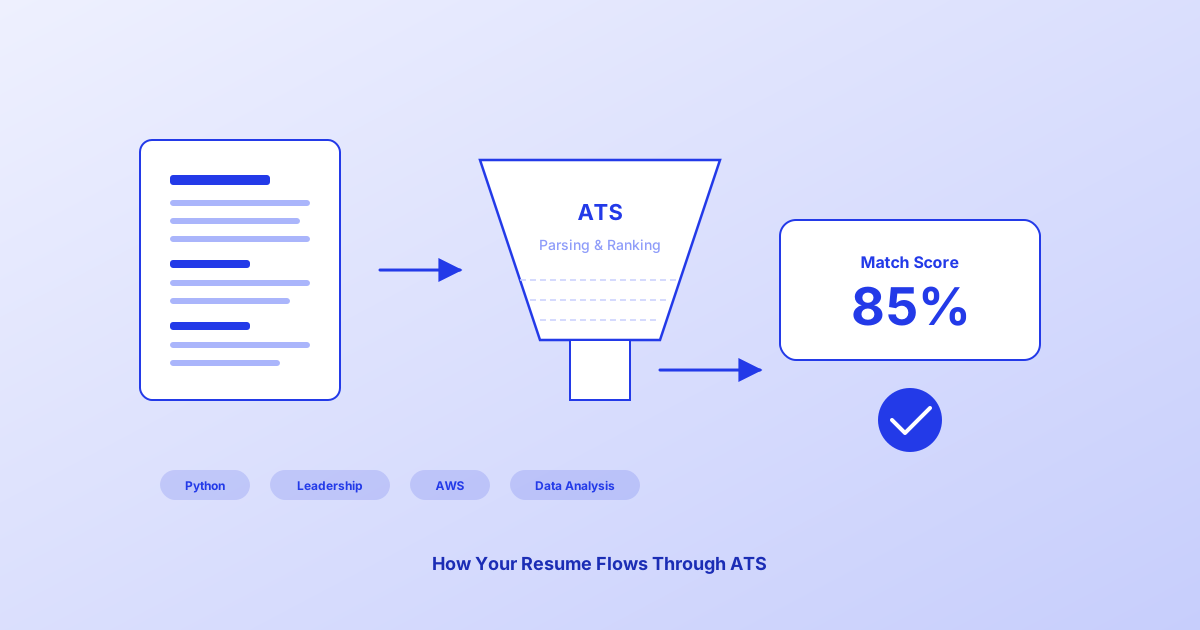
How to Pass the ATS in 2026: Getting Your Resume Through the Software Screen
Most mid-size and large companies screen resumes with software before a person reads them. Learn exactly how an ATS works and the fixes that make your resume hold up to it.
Kareeo Team6 min read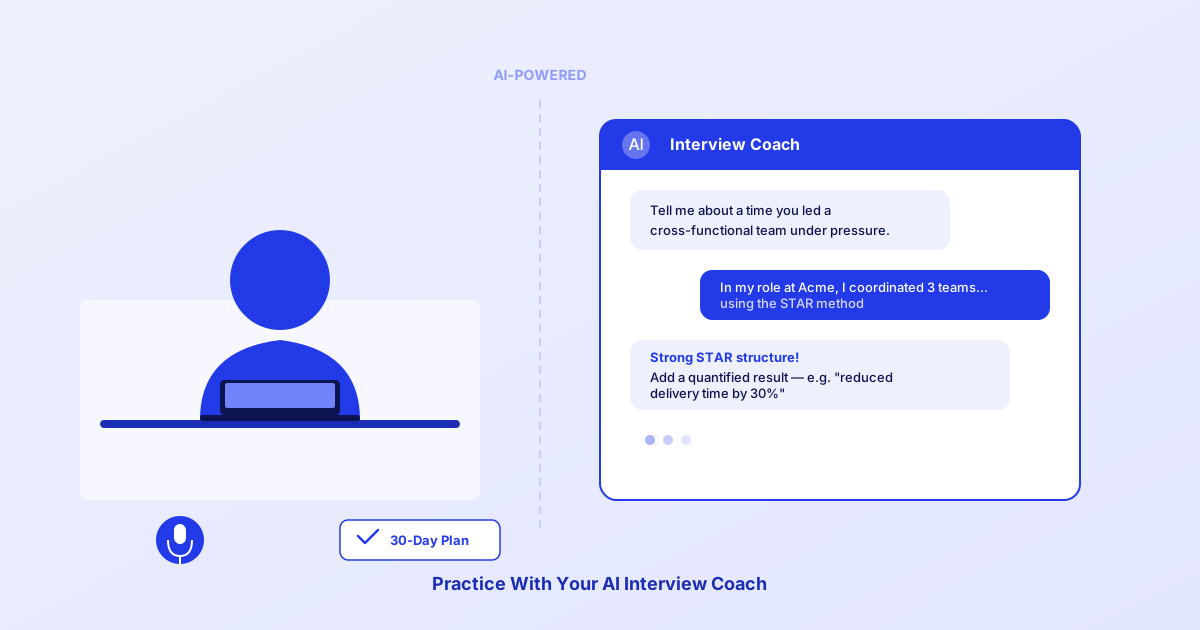
A 30-Day Interview Practice Protocol: Build Structure Under Pressure
A 30-day interview practice protocol that builds confidence, structure, and response quality. Here's the exact process, week by week.
Kareeo Team7 min read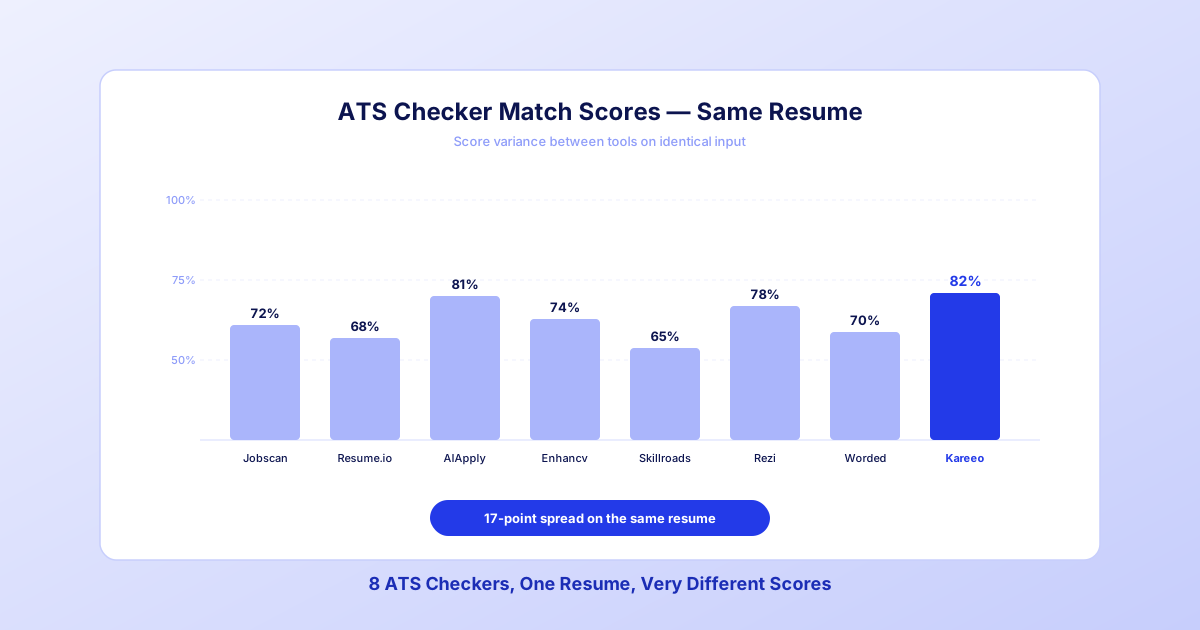
8 Best ATS Resume Checkers in 2026: What We Found After Testing All of Them
One resume, 8 popular ATS checkers, 8 different answers. What each tool is good at, which ATS recruiters actually use, and how to pick a checker for your search.
Kareeo Team9 min read